Electronic Queue Using the Example of Oschadbank
More and more Ukrainians are interested in chatbots, as recently they help solve many issues without the involvement of a real person, organizing and saving your time.
On July 25, 2020, Oschadbank introduced a new convenient feature — the electronic queue.
What is the electronic queue at Oschadbank
This innovation allows you to make an appointment at the bank simply through a chatbot in Telegram, Messenger, the web version of the site, or the contact center. Agree, it is much more convenient than wasting time in a physical queue!
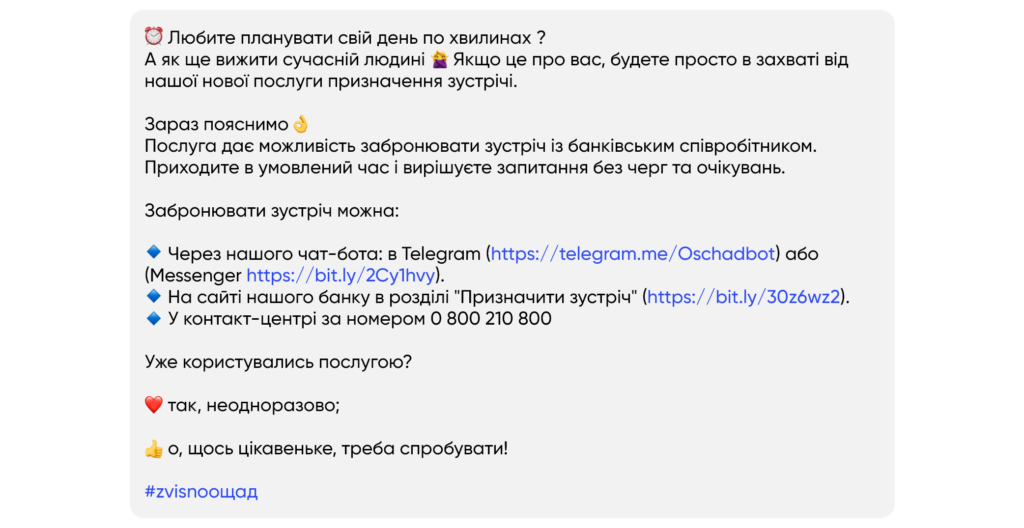
Opportunities for business
The boto team can implement such functionality for your business as well!
How the electronic queue works at Oschadbank
Let's take a look at how the electronic queue works at Oschadbank:
1. Chatbot @OschadBot
After launching the chatbot, the user receives a welcome message and a prompt to authorize via phone number:
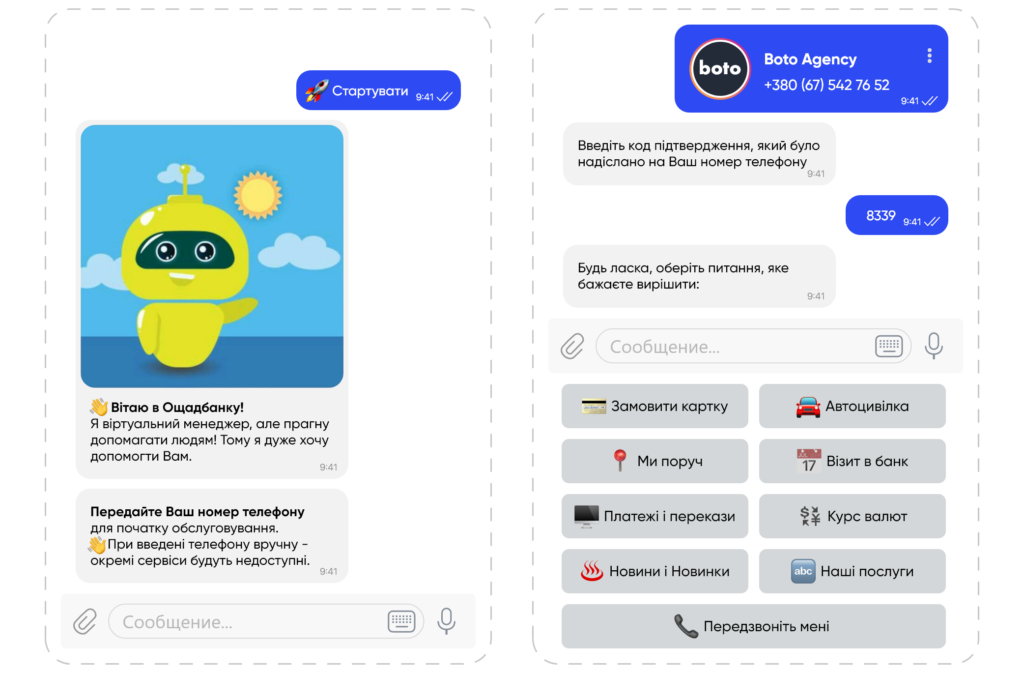
To join the electronic queue, select the "Our services" menu item and the required category of request.
For example, if you want to issue a card and schedule a meeting:
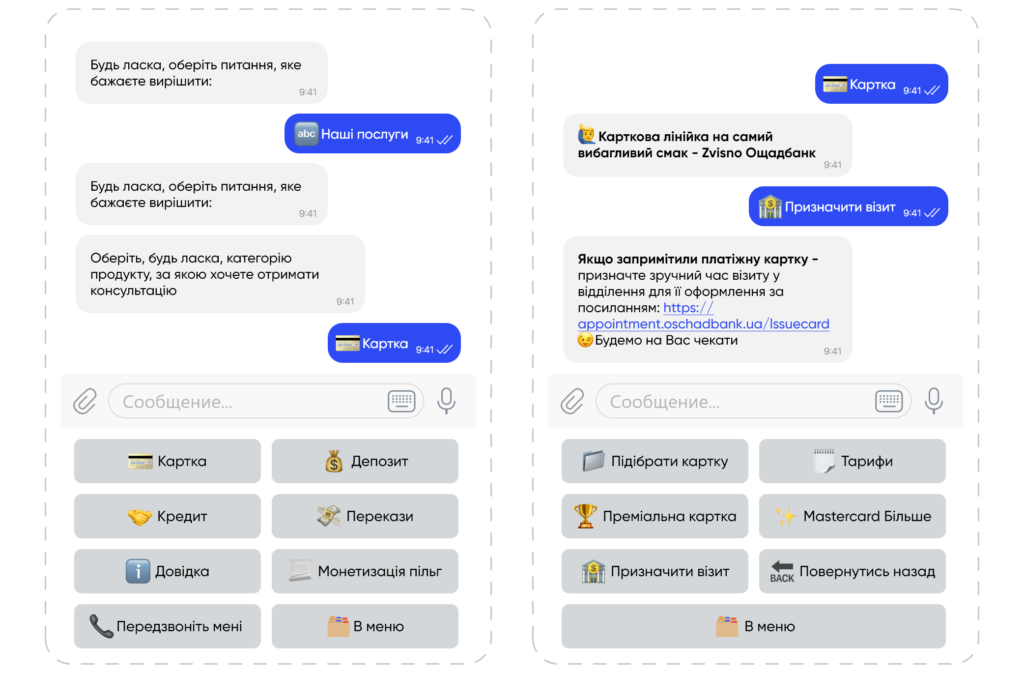
After receiving a link from the chatbot to submit an application, follow it, open the form, fill in your details, and select the desired branch.
- All information must be entered in Ukrainian!
- After entering the city, you will be able to select a branch from the list of all available in that city.
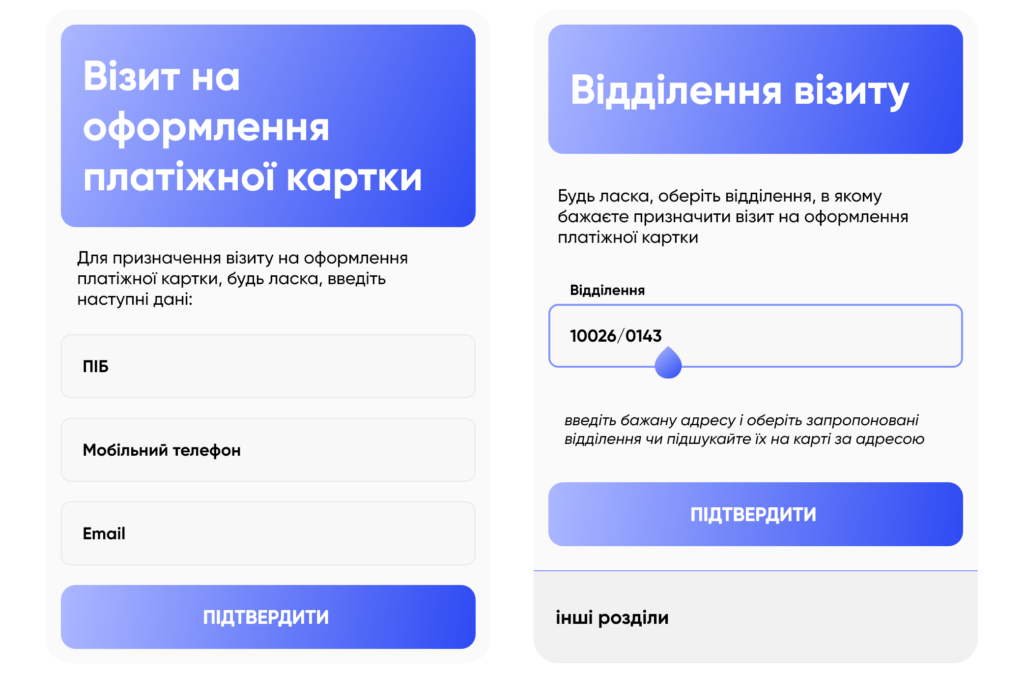
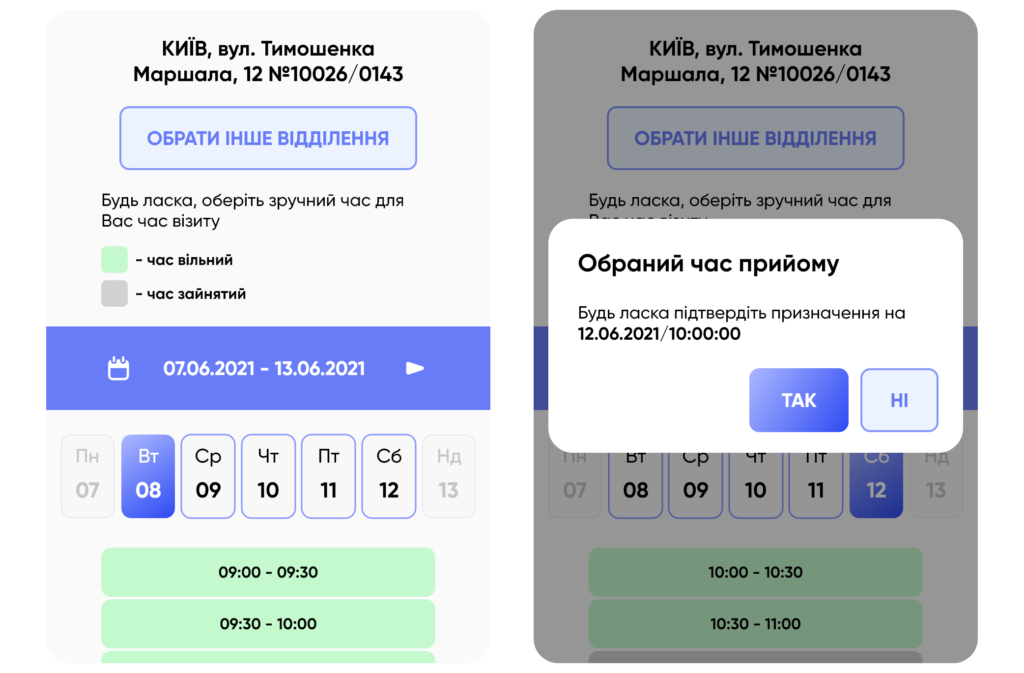
After confirmation, you can choose the date and convenient time for your visit. If the desired time is not available at the selected branch, you can change the branch.
Next, go through verification for final confirmation of your appointment:
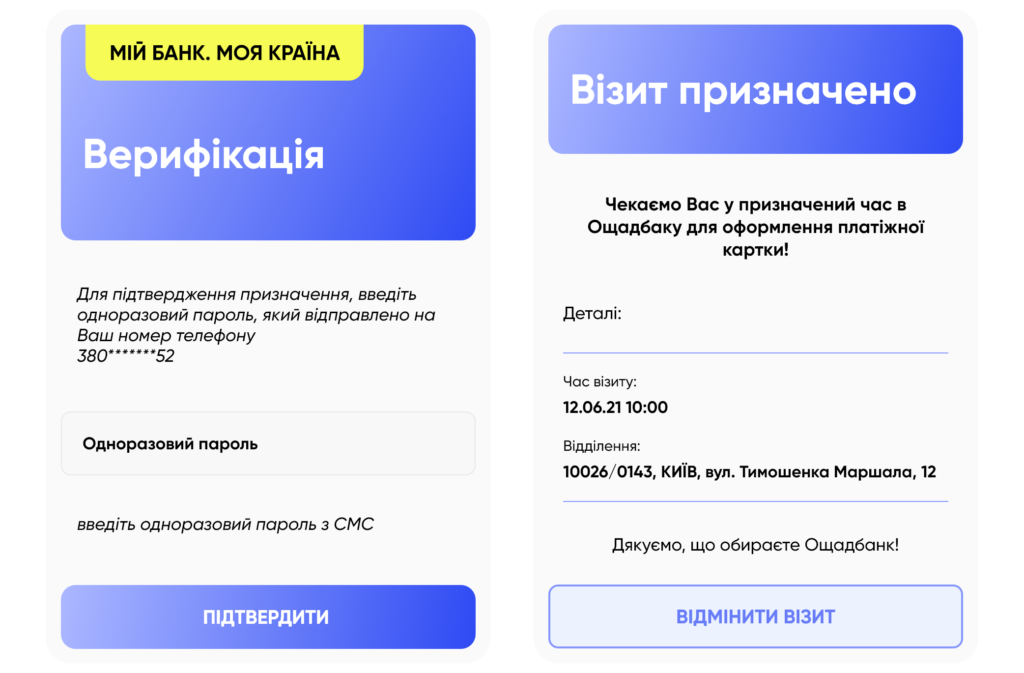
Done! You are in the electronic queue!
If your plans have changed, you can always cancel your application:
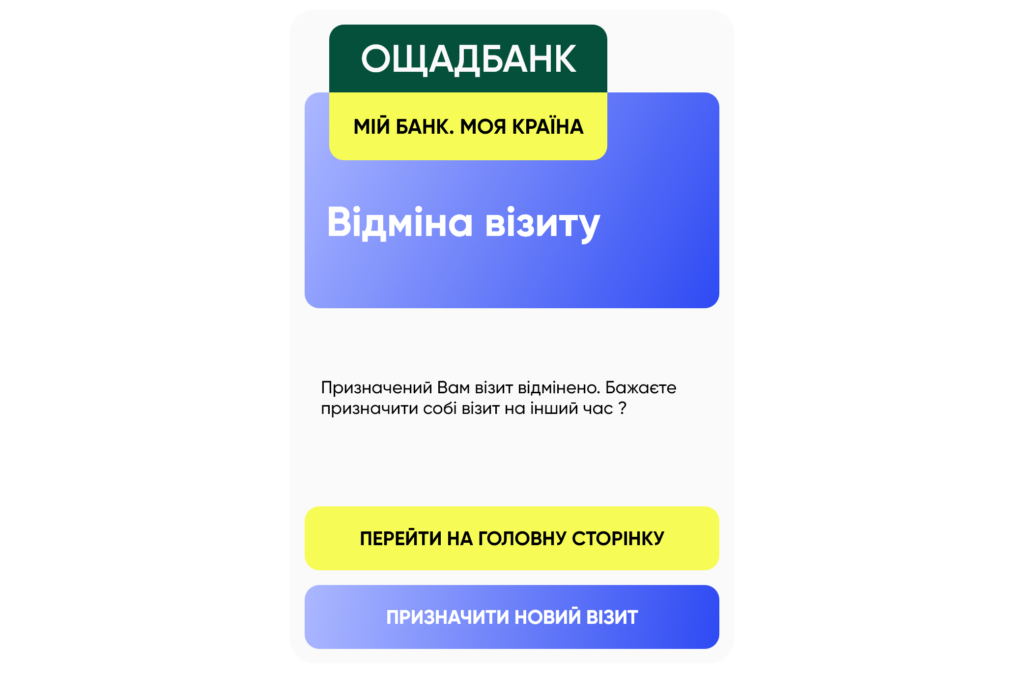
2. Oschadbank website (appointment.oschadbank.ua)
In the "Feedback" section, you can now also arrange an electronic queue:
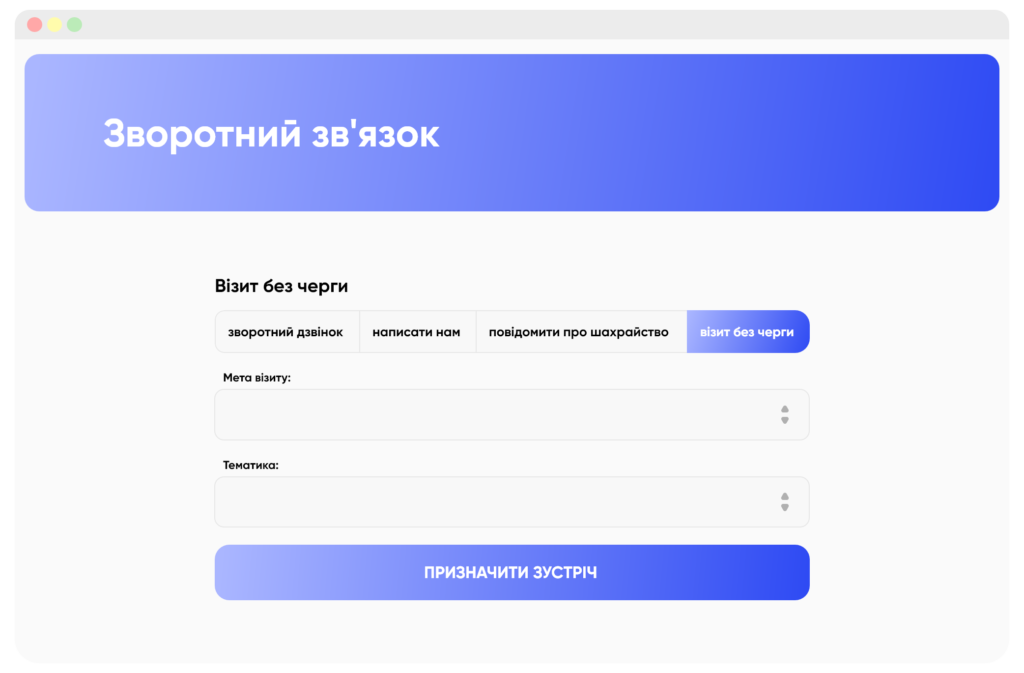
After selecting the purpose and topic of your request, click "Schedule a meeting".
The next steps are similar to those in the chatbot:
Enter your details:
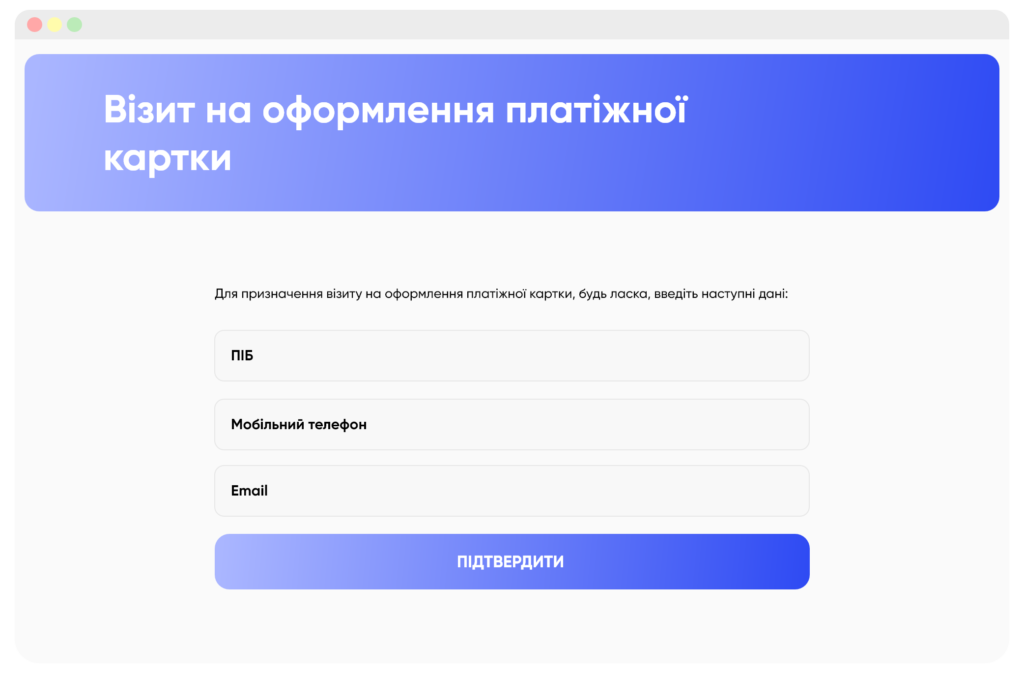
Select the branch number.
If you do not know the branch number, you can easily find it in the "Branches and ATMs" section of the website.
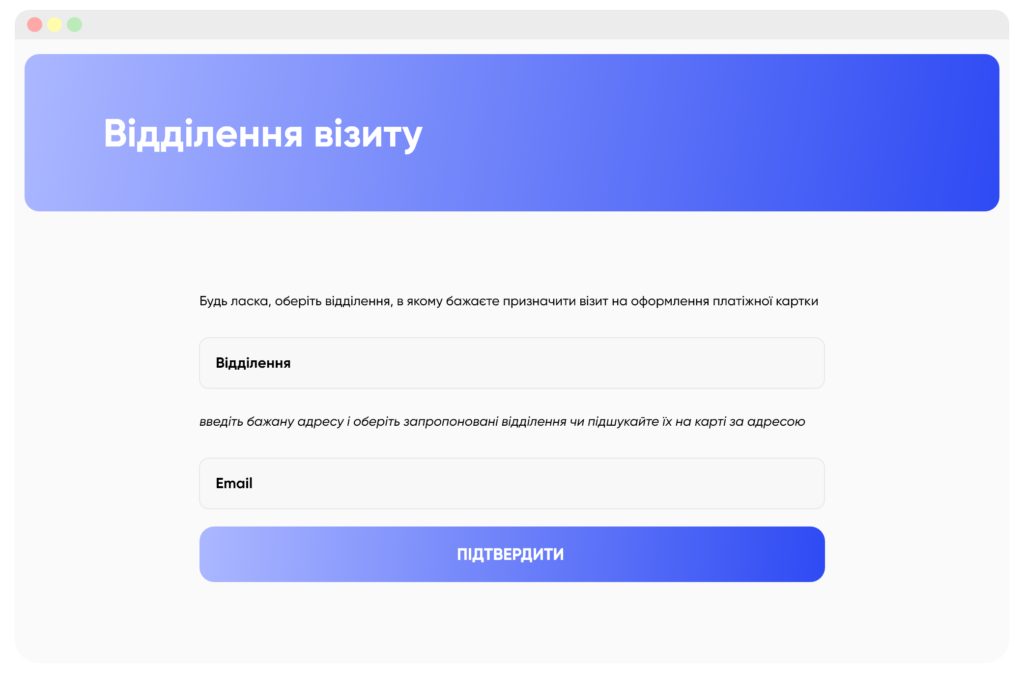
Choose the date and t

Need a chatbot for your business?
We automate your processes and boost sales.