The Most Common Mistakes When Launching Chatbots
Operational mistakes always happen, and that's absolutely normal. Nobody is perfect. The main thing is to understand what the final product will be and confidently move towards the goal.
In this article, I will talk about the mistakes most often made by clients and developers when launching chatbots. For some, these may be obvious things, but for others, they might just save the project. So pour yourself some coffee—and enjoy reading!
The Most Common Mistakes
Any quality project starts with the planning stage. If the project is small, a properly written technical specification (TS), a prototype, and of course, a list of key features are often enough. But many neglect this, and then pay with money and time. It's not for nothing they say: at least 20% of development time goes to management. Don't be surprised when developers include this work in the cost—it's not arrogance, it's professionalism.
An experienced project manager is your friend, right hand, and main contact throughout the implementation period. This is very important. And now—to practice. Let's go!
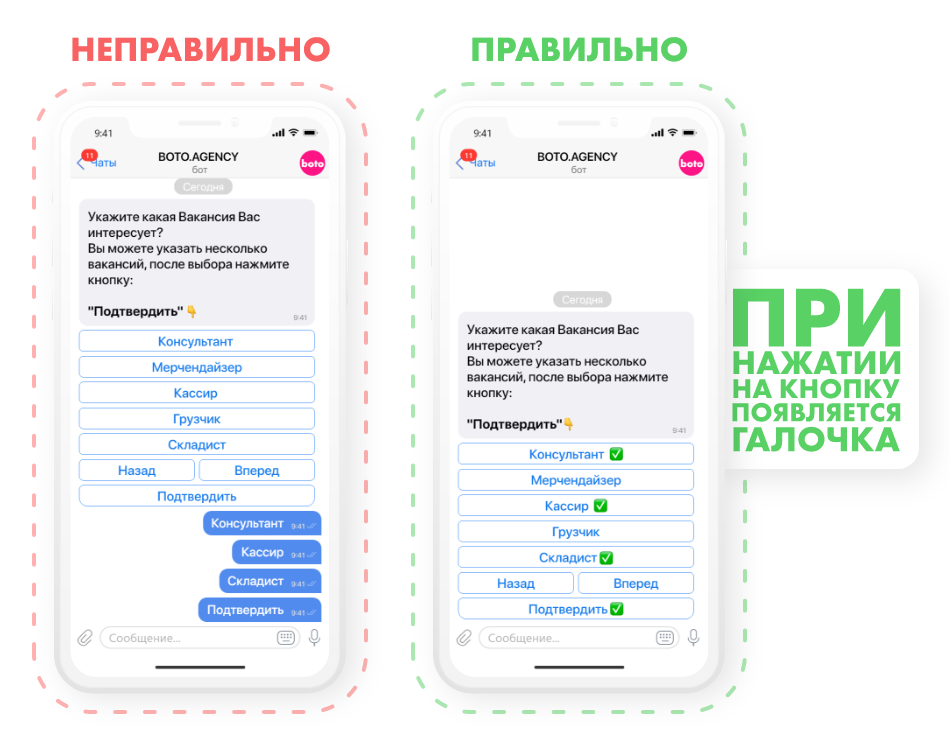
1. Ignoring message updates. Ukrainian Telegram bots have an extremely useful option—message updates. What does this give you? For example, just like in personal communication, you can edit a mistake in a message or change what was written. Chatbots can do this too.
There are countless usage scenarios. For example, during a briefing with your clients: instead of a dozen new messages, the bot only needs to update one—and users don't feel spammed (since every new message is a notification sound).
This function is also appropriate for product catalogs, FAQs, order processing, and other scenarios.
What are the limitations and nuances?
- The window for editing messages is 48 hours (2 days);
- After editing, you cannot display a new bottom keyboard.
Developers often forget about this, but in vain—attention to detail is important! In every one of our chatbots, our team takes this feature into account.
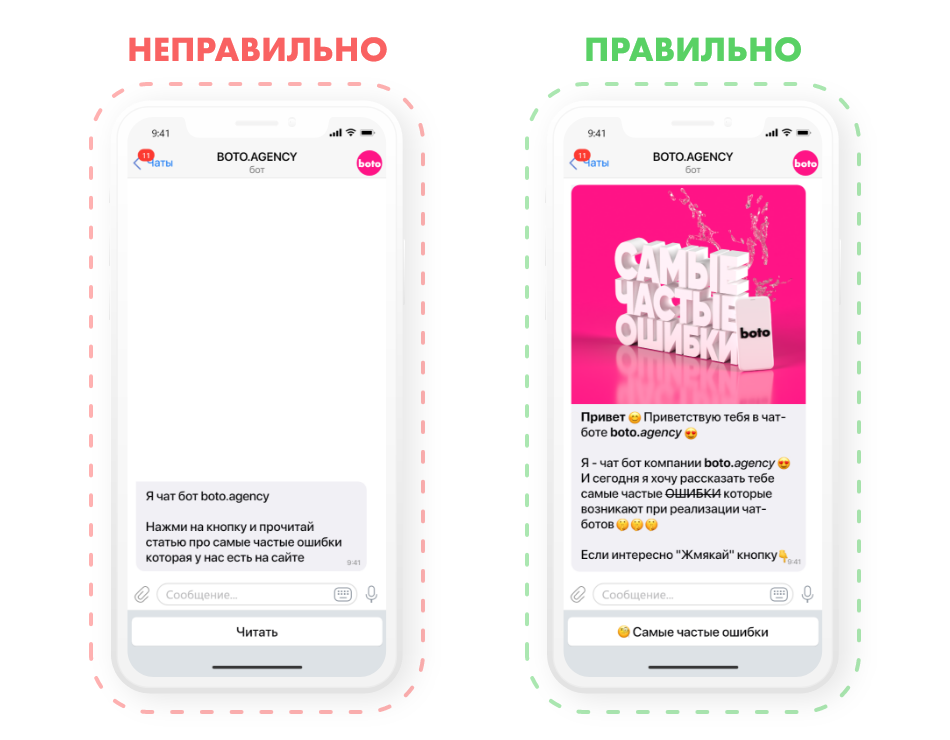
2. Copywriting. Your main strength in a chatbot is the text. It should be concise, grab attention from the first words, and hit the target clearly—whether it's a mailing, order processing, or a brief. I always recommend paying attention to:
- Emojis—the probability of being read increases by at least 80%;
- Text formatting: italic, bold,
strikethrough; - Indentations—the text should be structured and easy to read;
- Brevity—the message shouldn't be as long as an article;
- Highlighting the headline—when push notifications are sent, only a few lines are visible, and they need to catch attention.
3. Excessive system flexibility. The desire to make a chatbot as flexible and editable as possible is a temptation for many clients. But there are nuances here.
First: this functionality is often not needed at the start—the bot is usually filled once and launched "into the world." Flexibility is only needed in dynamic modules: FAQ, catalog, services.
Second: overly flexible solutions significantly increase the development budget. If you want to fully customize the system and frequently change its structure—that's developer time, and therefore, additional costs. This applies not only to chatbots but to any IT products: the more features, the more expensive.
Third: the complexity of managing such a system. Imagine: the project was developed for months, every detail was thought out, and then managers have trouble figuring out the settings. Be sure to allocate developer time for step-by-step instructions. We've had cases where a client wanted a hyper-flexible system, but then had difficulties working with it and thought that prod

Need a chatbot for your business?
We automate your processes and boost sales.