Web Development in 2026: A Comprehensive Guide to Paths, Skills, and Business Impact
Introduction: The Evolving Landscape of Web Development in 2026
Web development has transformed dramatically over the last decade, reshaping how businesses interact with users and automate their workflows. In 2026, it’s not just about building websites—it's about leveraging a combination of design, coding, user experience, and automation to create digital solutions that deliver real business value. This guide synthesizes the latest approaches in web development, career paths for aspiring professionals, and how businesses can benefit from new technologies, including AI chatbots and automation platforms.
The Core Stages of Web Development Projects
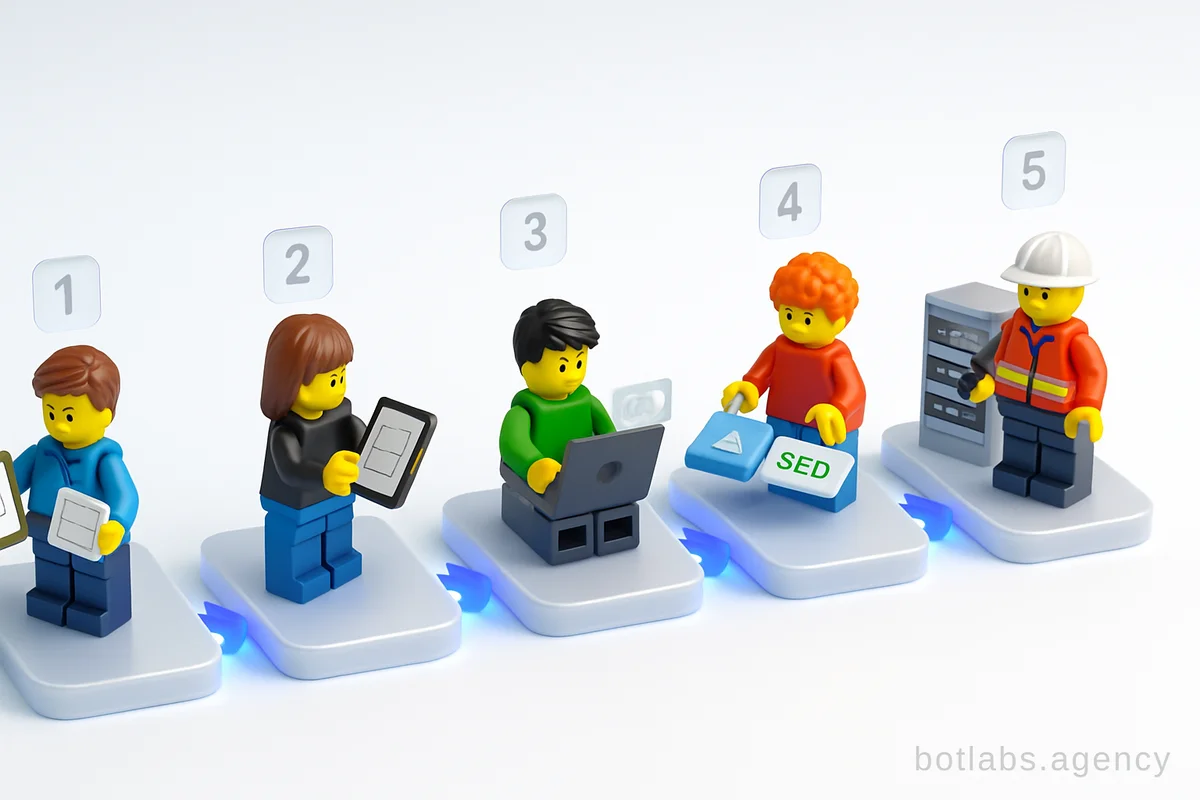
A successful web development project follows a structured path:
- Planning & Requirements Analysis: Collecting business goals, user needs, and technical requirements. This phase often involves creating a technical specification and user interface prototypes.
- Concept & Design: Developing wireframes and visual mockups, defining the user journey, and ensuring accessibility.
- Development: Coding the front-end (what users see) and back-end (server-side logic), integrating with databases and third-party systems.
- Content & Optimization: Adding and optimizing multimedia content, ensuring the website is fast and search-engine friendly.
- Testing & Deployment: Rigorous QA testing, bug fixing, and releasing the site on a live server.
- Maintenance & Scaling: Continuous updates, performance monitoring, and feature enhancements.
Tip: Early investment in planning and UI/UX design greatly reduces costly revisions later in the project.
| Stage | Key Activities |
|---|---|
| Planning | Requirements gathering, prototyping, technical specs |
| Design | Wireframes, UI/UX mockups, accessibility checks |
| Development | HTML/CSS/JS coding, backend (PHP/Python/Node), CMS integration |
| Content Optimization | SEO, multimedia, speed optimization |
| Testing & Deployment | QA, bug fixing, hosting setup |
| Maintenance | Updates, monitoring, new features |
Essential Technologies and Skills: What Every Developer Should Know
The foundation of modern web development rests on a solid understanding of key technologies:
- HTML: Structures content and forms the backbone of every web page.
- CSS: Styles content, manages responsive layouts, and brings design to life.
- JavaScript: Adds interactivity and dynamic features. Mastery of frameworks like React or Vue is increasingly valuable.
- Version Control (Git): Essential for team collaboration and code management.
- Back-End Languages: PHP, Python, Node.js, or Java for server-side logic and integration with databases (SQL, MongoDB).
- Frameworks & Libraries: Bootstrap, SASS for CSS, Express/Django for backend, and essential JavaScript libraries.
Tip: Don’t just learn to code—understand how the web works. Explore how servers, browsers, and APIs interact.
Front-End vs. Back-End: Roles and Collaboration
- Front-End Development focuses on user interfaces, performance, and accessibility. Front-end devs ensure that sites look great and work smoothly across devices.
- Back-End Development powers the logic, data storage, and security behind the scenes. Back-end devs create APIs, manage databases, and ensure reliability.
Increasingly, full-stack developers who can bridge both areas are in demand. However, specialization remains valuable, especially for large or complex projects.
Example: E-Commerce Store
- Front-End: Product catalog UI, checkout form validation.
- Back-End: Order processing, inventory tracking, payment integration.
Career Paths in Web Development: From Junior to Leadership
Web development offers a structured yet flexible career ladder:
- Junior Developer: Works under mentorship, handles basic coding and bug fixes.
- Middle (Mid-Level) Developer: Independently tackles features, optimizes code, and may mentor juniors.
- Senior Developer: Designs complex systems, solves challenging problems, and guides best practices.
- Tech Lead: Oversees architecture, ensures code quality, and aligns technical solutions with business goals.
- Team Lead/Manager: Blends technical oversight with people management and project leadership.
Tip: Soft skills—communication, teamwork, adaptability—are just as important as technical chops for advancing your career.
| Level | Typical Responsibilities |
|---|---|
| Junior | Simple tasks, bug fixes, learn best practices |
| Middle | Feature development, code optimization |
| Senior | Architecture, code reviews, mentoring |
| Tech Lead | Technical vision, architecture decisions |
| Team Lead | Project management, team development |
Modern Workflow: Tools and Practices for 2026
Web development workflows have become more sophisticated, with a focus on automation and collaboration:
- Version Control: Git for collaborative coding and code history.
- Continuous Integration/Deployment (CI/CD): Automated testing and deployment pipelines ensure reliability.
- Code Linters & Formatters: Tools like ESLint and Prettier enforce code consistency.
- Cloud Hosting & Serverless: AWS, Azure, and serverless platforms simplify scaling and maintenance.
- Performance Monitoring: Tools for real-time analytics and uptime tracking.
Tip: Try to automate repetitive tasks (build, test, deploy) to boost productivity and reduce errors.
Business Impact: How Automation and AI Are Changing the Game
In 2026, businesses expect more from their digital investments. Web development is now inseparable from automation and AI-driven solutions. For example, integrating AI chatbots and business process automation can:
- Reduce support costs by automating FAQs and customer service 24/7.
- Accelerate sales with automated lead qualification and instant responses.
- Increase customer retention with loyalty programs and personalized recommendations.
Real Case Example: AI Chatbot Boosts Retail Sales
A Ukrainian retail chain implemented a Telegram-based loyalty chatbot, resulting in a 34% increase in repeat sales and a dramatic reduction in support response time from two hours to 30 seconds.
For more on business automation with chatbots, see Boosting E-commerce Sales with Telegram Chatbots and Mini Apps in 2026.
Practical Roadmap: How to Learn Web Development in 2026
- Start with HTML: Learn to structure pages and content.
- Add CSS: Style your pages for modern, responsive design.
- Master JavaScript: Make sites interactive and dynamic.
- Explore Frameworks: Try React, Vue, or Angular for complex UIs.
- Learn Back-End Basics: Pick a language (Node.js/Python) and understand databases.
- Understand DevOps: Try cloud deployment and CI/CD tools.
- Build Real Projects: Portfolio work beats theoretical knowledge.
Tip: Use GitHub to host your code and join open-source projects for experience.
Table: Web Developer Learning Path
| Step | Focus Area | Example Tools/Skills |
|---|---|---|
| 1 | HTML | Semantic tags, structure |
| 2 | CSS | Flexbox, Grid, SASS |
| 3 | JavaScript | DOM, ES6+, React |
| 4 | Frameworks | Vue, Angular, Bootstrap |
| 5 | Back-End | Node.js, Python, SQL |
| 6 | DevOps | Git, CI/CD, Docker |
Callout Box: > Tip: Keep Learning and Stay Curious
Web technologies evolve rapidly. Stay connected with online communities, follow reputable resources, and don’t hesitate to experiment with new tools and frameworks. Consistent learning is the key to staying relevant.
Internal Resources and Further Reading
Q1: What’s the most important skill for a web developer in 2026?
A1: Adaptability. Technologies and frameworks change quickly, so being able to learn and pivot is crucial.
Q2: Is it necessary to learn both front-end and back-end?
A2: Specializing is fine, but understanding the basics of both helps with teamwork and building full-featured solutions.
Q3: How do I start building real projects?
A3: Start with simple websites, contribute to open-source, or replicate existing apps with your own twist. Document your work on GitHub.

Need a chatbot for your business?
We automate your processes and boost sales.