
Sales team automation: seven practical workflows
Automation should give a sales team more time with customers, not add another tool to manage. Start with repeated work: handling inquiries, updating the CRM, preparing call notes, and building reports. This guide covers seven workflows and a practical way to choose the first one.
Where sales reps spend their time
A workweek includes more than customer conversations. Reps enter CRM data, look up prices and account history, remember follow-ups, prepare proposals, and build reports. Salesforce reported that respondents in the fifth edition of its State of Sales research (2022) spent 28% of their time actually selling. That describes its surveyed group; it is not a universal benchmark for every company.
Seven sales automation workflows
Choose by task frequency, cost, and risk of error. There is no need to implement everything at once.
- One inquiry queue. Bring requests from forms and channels into the CRM with their source, then send a checked acknowledgement.
- Initial qualification. Ask about the need, region, and timing. Pass the answers to a rep, not just a name and phone number.
- Follow-up reminders. Create a task when a deal has no next step.
- Call notes. Transcription and a draft summary can help update the record, but the rep should verify commitments.
- Quality review. Assess calls against agreed criteria and flag only cases that need a manager’s attention.
- Proposals. Populate a template with CRM and current price-list data; a person should verify prices and terms.
- Reports. Build regular summaries from CRM sources, stages, and tasks instead of assembling them by hand.
In the BUDE GOOD case study, BotLabs connected call recordings with deal context to support analysis and alert managers to issues.
1. One inquiry queue and a prompt acknowledgement
Bring website, messaging, and other inquiries into one queue, and pass each to the CRM with its source. Send a checked acknowledgement and assign an owner by channel or need. Test duplicate submissions and CRM outages: an inquiry should be retained for a safe retry instead of disappearing. The inquiry-processing guide discusses the intake workflow in more detail.
2. Initial qualification by a bot
A bot can ask about the need, volume, timing, and region, then pass the answers and contact details to a rep. Keep the questions short and aligned with the team’s routing rules. Escalate complex or ambiguous requests to a person so a restrictive answer choice does not discard a promising lead.
3. Follow-up reminders and tasks
When a deal lacks a next step, the CRM can create a task or remind its owner. Set triggers by stage and deadline, and agree how tasks are closed; otherwise reps may learn to ignore excess alerts. In a pilot, compare the share of deals without a planned contact before and after the change.
4. AI call notes in the CRM
A recording can become a transcript and a draft of needs, commitments, objections, and the next step. The rep should verify and correct that draft before relying on it with a customer. The BUDE GOOD case describes connecting recordings to deal context in KeyCRM. It illustrates an implementation, not an accuracy guarantee for another team.
5. Call quality review
The system can flag conversations that need a manager’s attention against agreed criteria, such as script steps, recorded commitments, or problem phrases. Check a sample of AI judgments because false alerts are possible. The BUDE GOOD case describes manager alerts for identified issues; each team should set its own criteria and thresholds.
6. Proposals from CRM data
A proposal template can draw customer details, items, and terms from the CRM and an approved price list. A rep still checks the document before sending it. Prices, discounts, availability, and legal terms need controlled sources and human approval; a generative model should not invent them.
7. Reports and forecasts
Produce regular CRM summaries of inquiry sources, pipeline stages, and overdue tasks using consistent definitions. Start with numbers someone uses to make a decision. Forecast quality depends on complete, reliable pipeline data. The Fayni Lyody case describes reporting automation; the number of report types in one project is not a general target.
Where to start: first implementation steps
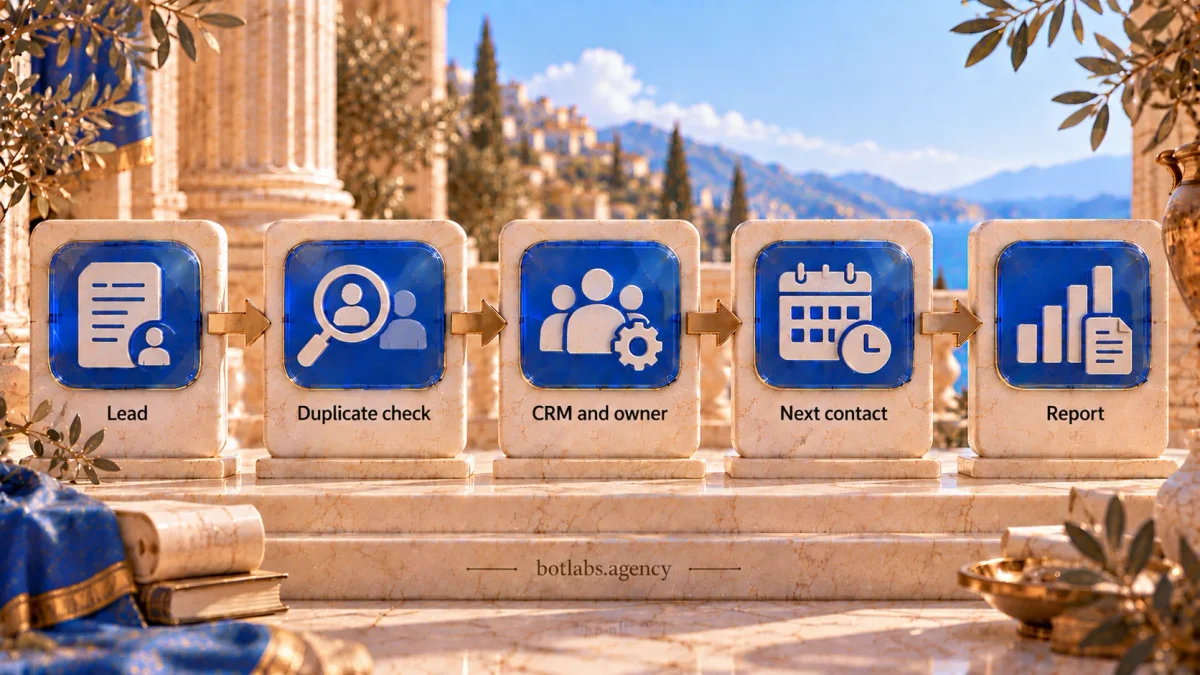
First record a baseline: first-response time, inquiry sources, deals without a next step, and time spent updating the CRM. Choose one process, prepare the data, and test the workflow with a limited group. Expand only after reviewing quality and outcomes.
If the current CRM does not fit, compare requirements and system options before automating the process.
Impact metrics
Track first-response time, inquiry-to-deal conversion by source, meetings per rep, deals without a next step, and call quality. Define the measurement period and calculation rules before launch. Comparisons are useful only when the metric definitions stay consistent.
What not to automate
Negotiations, complex advice, and discount decisions need context and human accountability. AI can prepare a summary or suggest a question, but a person should check facts and approve promises to customers. Limit access to CRM data and call recordings according to company policy and user roles.
Conclusion
Start by measuring a repeated manual task, then automate one workflow with a clear outcome. A shared inquiry queue, qualification, or reminders may be easier to pilot than a generative workflow. Have a person review the data and results before expanding automation.
Frequently asked questions
Inquiry intake and qualification, CRM reminders, draft call notes, quality review, proposal templates, and reports.
Salesforce’s State of Sales research reports 28% for its respondents. It should not be treated as a benchmark for every team.
Measure response time and inquiry sources, then choose a frequent manual task and test one workflow with a limited group.
No. AI can help with routine work and information preparation; people remain responsible for negotiations, complex advice, and promises to customers.
It depends on the CRM, data quality, integrations, and scope. Assess one workflow first and agree on a plan after reviewing the process.
Choose a repeated task with measurable time costs, clear inputs, and low customer risk; compare its results with a baseline.
Sources
Sales automation implementation consultation
In 15 minutes with a BotLabs implementation specialist, discuss how inquiries, call notes, and next steps reach your CRM. Choose one manual operation for the first stage and a metric to evaluate the result.
One manual operation.
A first automation stage.
15 minutes with an implementation specialist: manual CRM tasks, a first automation, and a result metric.